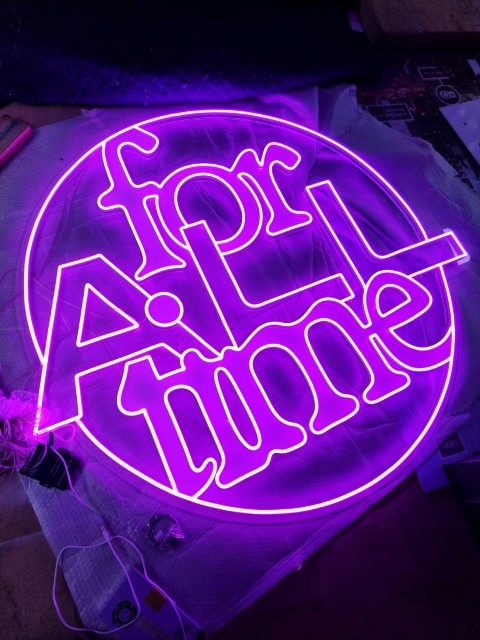
Common LED Neon Sign Problems & How to Fix Them Easily
You turn on your sign, expecting a bright and glowing display, but instead, it flickers, looks dim, or doesn’t light up at all. It’s frustrating, right? Whether your sign is for your business, home, or an event, you want it to work properly.
LED neon signs are popular because they are bright, use less energy, and can be made in any shape or design. They can last longer only if used carefully and maintained properly.
But like any electrical item, they can sometimes have problems. Your sign might start flickering, losing brightness, making a buzzing sound, or suddenly stop working. The good news is that most of these problems have simple fixes. You don’t always need an expert to fix them.
In this guide, we’ll explain the most common LED sign problems and how to fix them in an easy way. Whether your sign is already giving you trouble or you just want to keep it working well for a long time, this guide will help!
Table of Contents
ToggleKey Takeaways
- Flickering, dimming, and power failures can often be fixed by checking wiring, power sources, or replacing faulty parts.
- A sign that won’t turn on is usually due to power issues, loose connections, or overheating.
- Regular cleaning, using the right power adapter, and securing wires help prevent most LED sign problems.
- If DIY fixes don’t work, professional LED neon signs Melbourne repair services can restore your sign.
Common Problems with LED Neon Signs and How to Fix Them
Custom LED neon signs are a great way to make any space look bright and stylish. They are energy-efficient, last long, and can be customised to fit your needs. However, like any electric product, they can sometimes have problems.
If your LED signage is flickering, dimming, making noises, or not turning on at all, don’t worry! Most of these issues have simple fixes. Let’s go over the common problems with these signs and how you can fix them easily.
1. Flickering Signs
A flickering sign can be frustrating and make your space look unprofessional. It can also be distracting for customers if used in a business. The good news is that flickering problems usually have easy solutions.
Common Causes
- Loose or Broken Wires: The wires inside your sign may become loose over time, especially if moved around or installed in a busy area. If the wires are not properly connected, the electricity won’t flow smoothly, causing flickering.
- Unstable Power Supply: If your sign is plugged into the same outlet as other high-power devices, such as refrigerators or heaters, it may not get a steady power supply. This can cause the LED lights to blink or flicker.
- Old or Faulty Transformer: The transformer in your sign controls the flow of electricity. If it’s old or damaged, the power may not be steady, which can cause flickering.
- Worn-Out LED Strips: Over time, some LED lights may stop working properly. If certain parts of your sign flicker while others stay bright, the LED strip may need to be replaced. However, some LED neons use an all-in-one LED rope with built-in LEDs. If parts fail or flicker, you must replace the entire sign.
How to Fix
- Make sure all connections are tight and properly attached.
- Plug your sign into a different outlet to see if the problem is with the power source.
- If the transformer is making a buzzing sound or getting too hot, it may need to be replaced.
- If certain areas flicker while others stay bright, replacing the LED strip can solve the problem.
2. Dimming Signs
If your sign isn’t as bright as it used to be, it might be due to a simple problem. A dim sign may not grab attention the way it should, especially for businesses. Understanding what’s causing the dimming can help you fix it quickly.
Common Causes
- Aging LEDs: LED lights have a long lifespan, but they don’t last forever. After thousands of hours of use, they may start losing their brightness. If your sign is old, this could be the reason it looks dim.
- Not Enough Power: If the power adapter isn’t strong enough, the lights won’t receive enough energy to shine brightly. This can happen if the wrong power supply is being used.
- Dust and Dirt on the Sign: If your sign is in a kitchen, workshop, or a dusty environment, grease and dust can build up on the surface. This can block light and make your sign look dull.
- Voltage Drop from Long Wires: If your sign is connected using long wires, some power may be lost before it reaches the LEDs. This can result in dim lighting, especially in larger signs.
How to Fix
- Wipe it down with a soft cloth to remove dust and dirt.
- Make sure the adapter provides the correct voltage for your sign.
- If the sign has been used for years, LED signs can be repaired by simply replacing the LED ropes to restore brightness.
- If long wires are causing dimming, moving the power source closer may help.
3. Power Supply Problems
If your sign has suddenly stopped working, the issue is likely with the power supply. A non-working sign can be frustrating, but in most cases, the fix is simple.
Common Causes
- The Power Outlet Isn’t Working: Before checking your sign, test the outlet by plugging it into another device. If the outlet isn’t providing power, then the issue isn’t with your sign—it’s with the outlet.
- Loose or Disconnected Wires: If the wires inside the sign are damaged or not connected properly, the electricity won’t reach the LED lights, causing the sign to stop working.
- The Transformer is Broken: A transformer controls the power going into the sign. If it has overheated or short-circuited, it may no longer be able to power the LEDs.
- Overheating Protection Mode: Some signs have a built-in safety feature that turns them off if they get too hot. This prevents permanent damage but can be frustrating if it happens frequently.
How to Fix
- Plug in another device to see if the outlet is working.
- Look for any loose or broken wires and fix them.
- If the transformer is not working, replacing it should restore power.
- If overheating is the problem, make sure the sign has good airflow and isn’t in direct sunlight.
4. Buzzing or Humming Sounds
Unlike old neon signs, LED signs are designed to be completely silent. If your sign is making a buzzing or humming noise, something is wrong with its electrical parts.
Common Causes
- Old or Faulty Transformer: A transformer that isn’t working properly can create a buzzing sound because the electricity is not flowing smoothly.
- Loose Parts Inside the Sign: If any internal parts are loose, vibrations from the electrical current can cause a humming noise.
How to Fix
- If the transformer is making noise, swapping it for a new one should fix the problem.
- If you can access the inside of the sign, check if any parts are loose and tighten them.
Preventing Future Problems with Your LED Neon Sign
Taking care of your sign can help it last longer and prevent common problems like flickering, dimming, or shutting off. Here are some easy tips to keep it shining bright.
- Keep It Clean
Dust and dirt can make your sign look dull. Wipe it with a soft, dry cloth to keep it looking fresh. If it gets greasy or dirty, use a damp cloth with mild soap, but avoid harsh cleaning chemicals.
- Use a Good Power Source
Your sign needs a steady power supply to work properly. Don’t plug it into an overloaded power strip or an outlet that often loses power. Using the right power adapter will keep it running smoothly.
- Protect the Wires
If the sign is in a busy area, make sure the wires are tucked away to prevent them from getting pulled or damaged. If a wire looks loose or frayed, fix it quickly to avoid bigger problems.
- Keep It Cool
Heat can damage your sign over time. Don’t place it in direct sunlight or near heaters. If your custom design neon signs feel too hot, turn it off for a while to let it cool down.
Following these simple steps will help your sign stay bright and last longer, saving you time and money on repairs.
Frequently Asked Questions (FAQs)
How do LED neon signs work?
These signs use small LED lights placed inside flexible tubing to create a bright, colourful glow. They work by connecting to a power source, which lights up the LEDs to form words or shapes.
Are LED signs safe?
Yes, they are safe because they don’t get too hot, don’t use harmful gases, and use low voltage. They are also shatterproof, making them safer than traditional glass signs.
How long do LED neon signs last?
They can last up to 50,000 hours, depending on usage and quality. With proper care, they can glow brightly for many years without needing replacement.
How do you make LED neon light signs?
They are made by bending flexible LED neon ropes into shapes and attaching them to a backing. The lights are then connected to a power supply to create a glowing sign.
Conclusion
If your sign still isn’t working after trying these solutions, it’s best to get professional repair services. These experts can quickly fix the issue. Whether you need repairs or want to buy LED neon signs, Neon Signage has the solutions. Their team will keep your signs shining for years to come.